
Accounting, inventory, point of sale and B2B ordering

Run your business in one place.

Accounting, invoicing, inventory and purchasing, a point of sale for the counter, a B2B ordering portal for your customers and an app for your team on the road. One system, so nobody types anything twice.

  • Accounting in every plan
  • 3 users included
  • Portal logins free
The online store: product photos, prices and stock
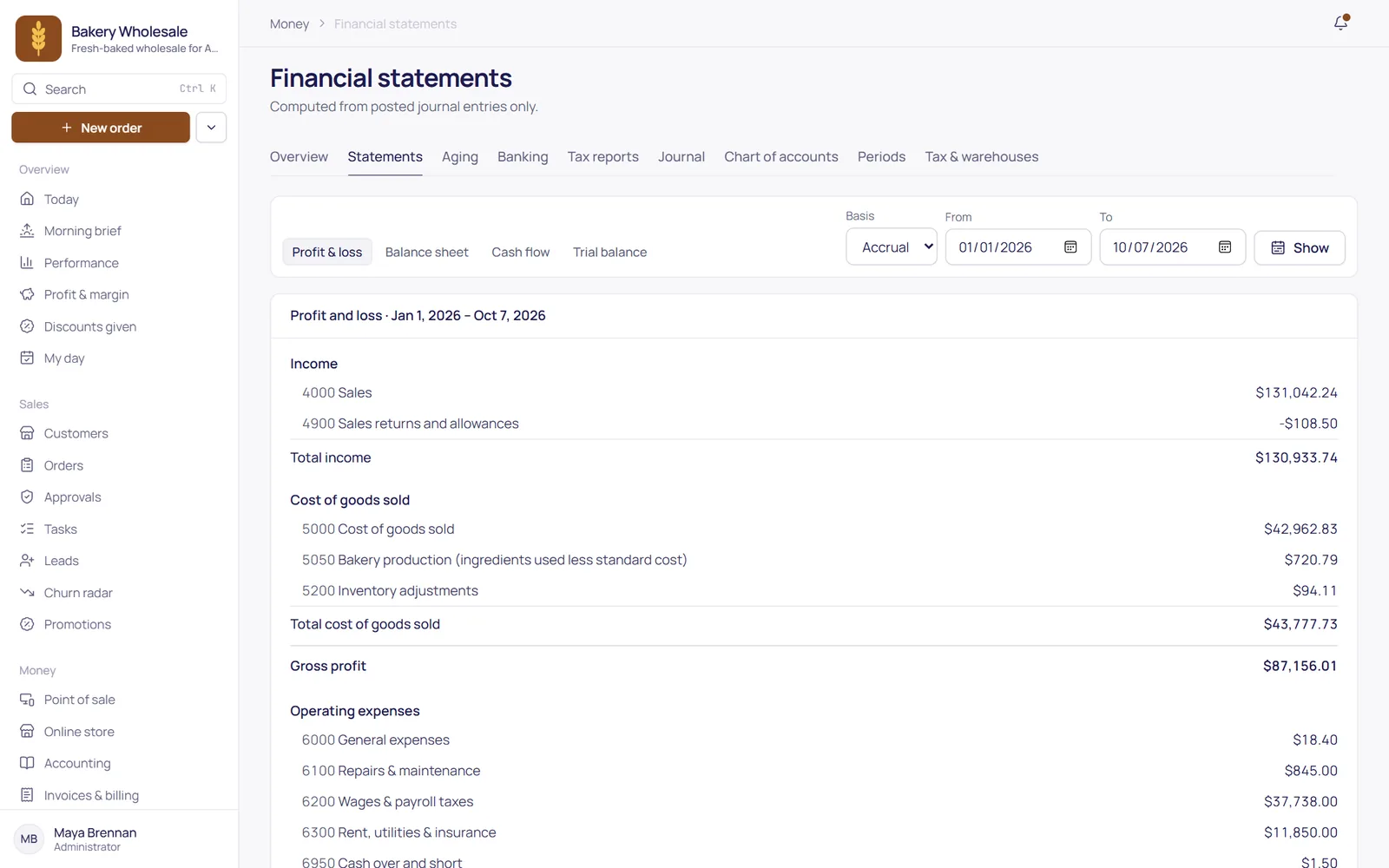
TranzSuite on a computer: the profit and loss statement, straight from the ledger
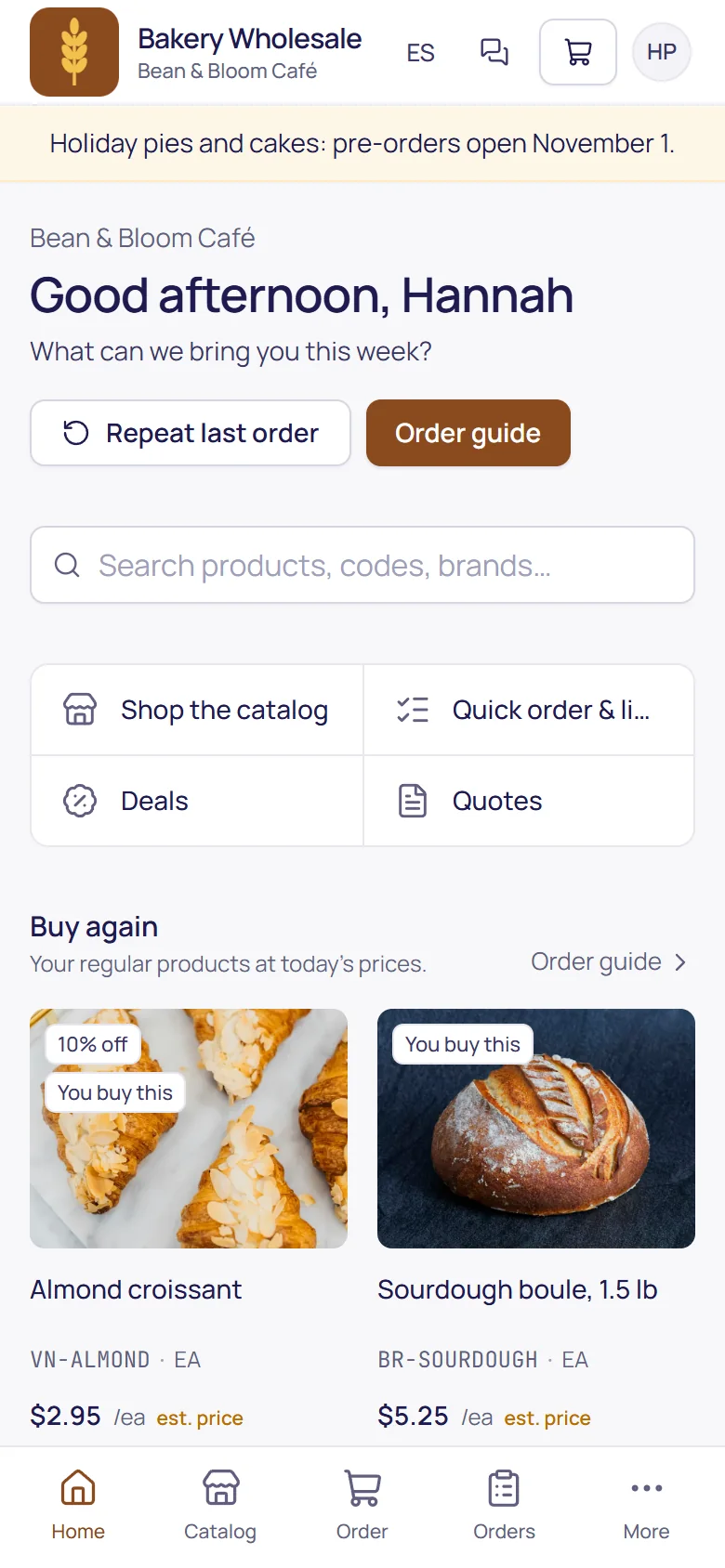
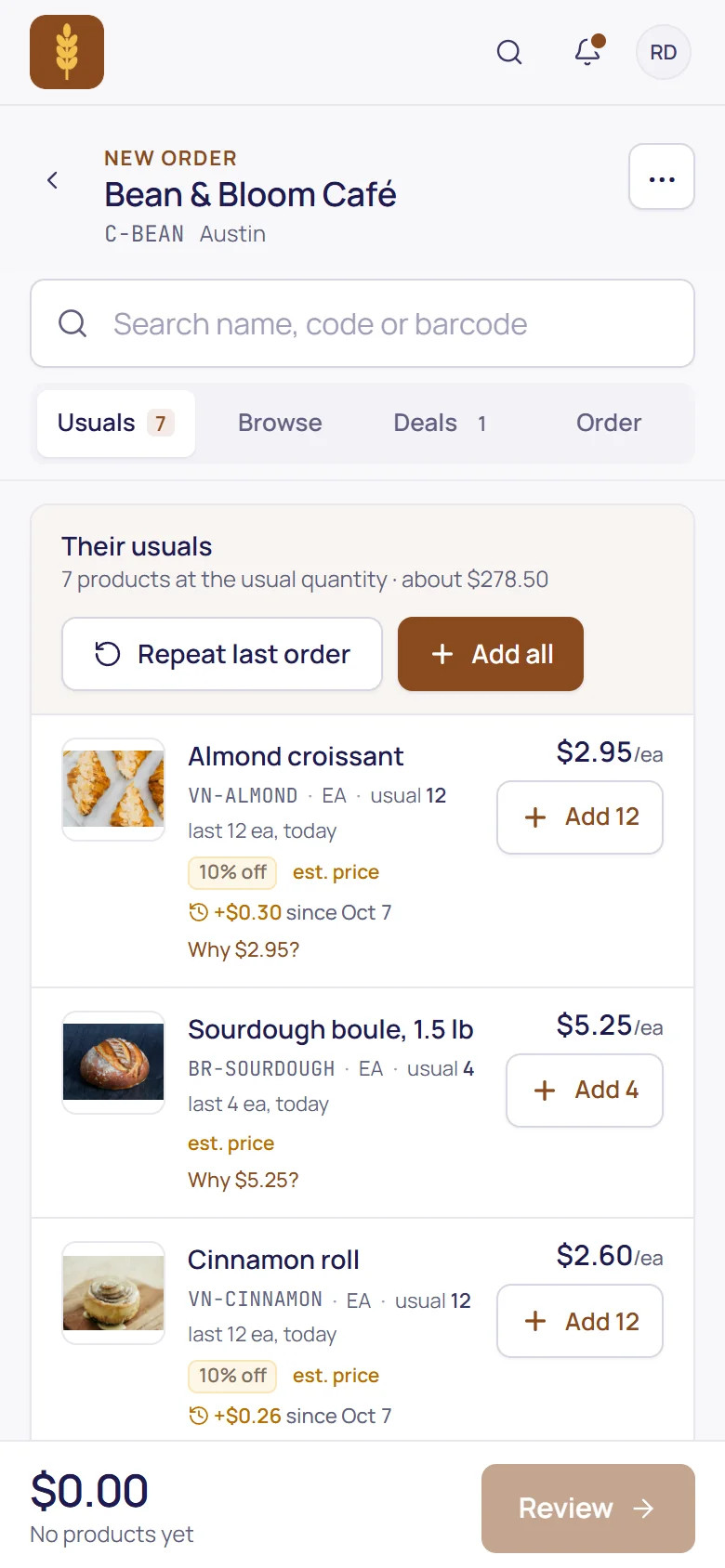
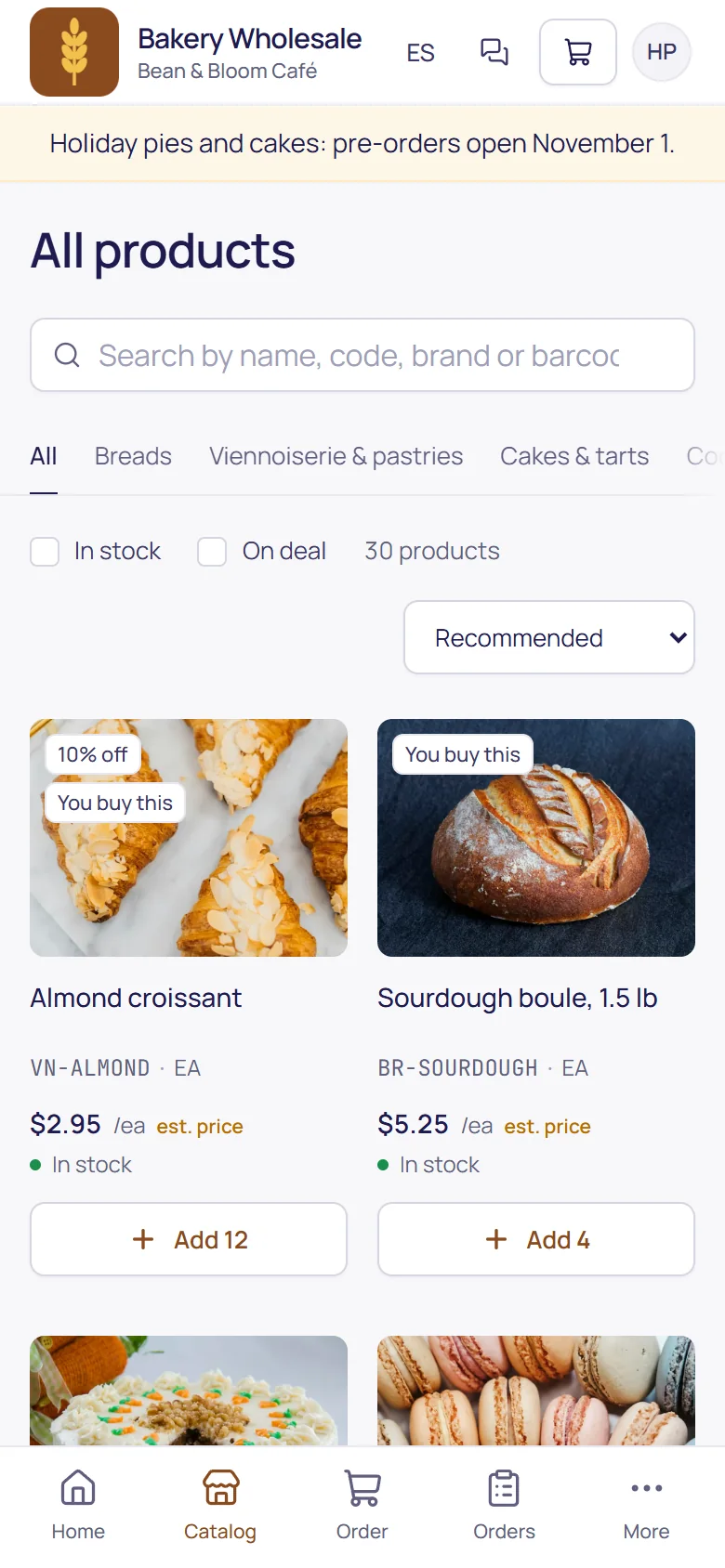
The B2B ordering portal on a phone: a café ordering at its own prices
Double-entry accounting built in Average-cost inventory From $250 a month, 3 users included Separate database per business
Why one platform

No more orders in one system and invoices in another, a stock count nobody trusts, a spreadsheet of who still owes what or retyping supplier bills. An order becomes a delivery, an invoice and a payment, and the books, the stock and the customer's balance follow every step.

Take the tour

One system, every part of the day.

Real screens from our demo company, a wholesale bakery in Austin with 90 days of made-up business. Pick a part, or let it play.

Books that keep themselves up to date

  • Every invoice, bill, payment and till sale posts one balanced journal entry
  • Profit & loss, balance sheet, trial balance and cash flow from the same ledger
  • Bank reconciliation that can only be finished at a zero difference
  • Monthly periods you close; corrections are reversing entries
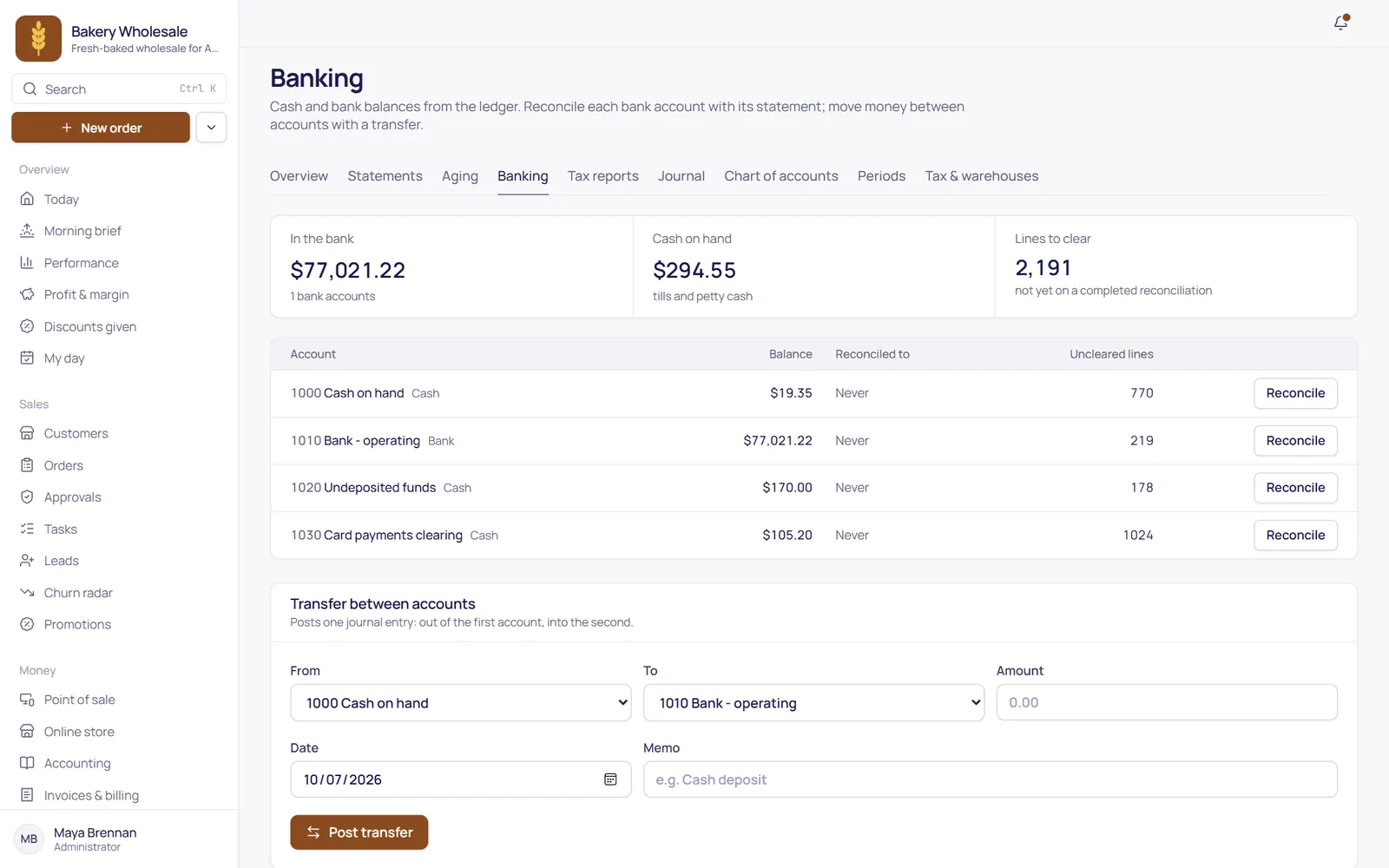
Accounting & banking
Financial statements in TranzSuite: profit and loss for the year so far

Invoices, payments and who still owes what

  • Invoices, credit notes, partial payments, refunds and deposits
  • Recurring invoices, statements and payment reminders
  • Payment terms set the due dates and the aging
  • Every invoice links to its journal entry
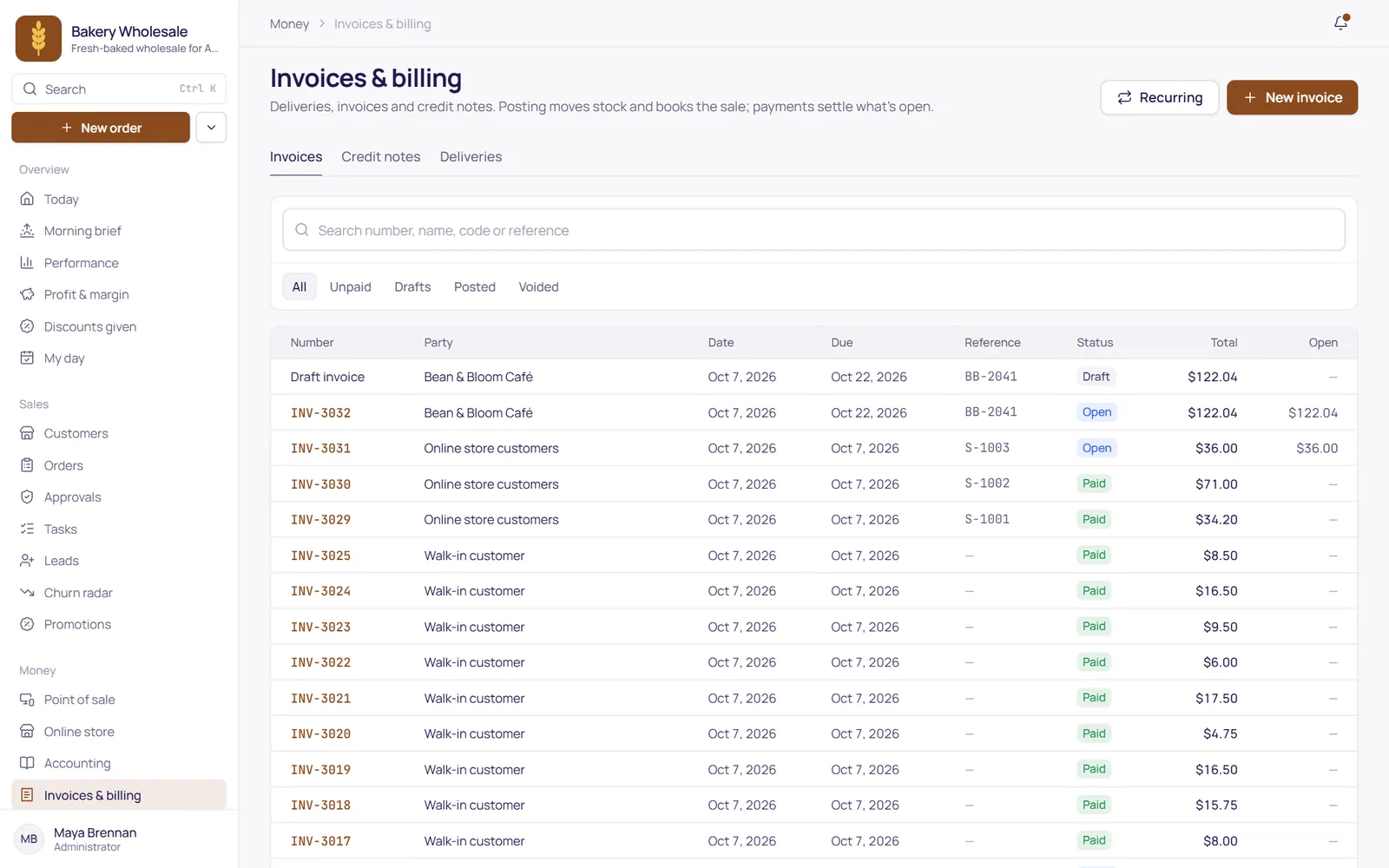
Invoicing & billing
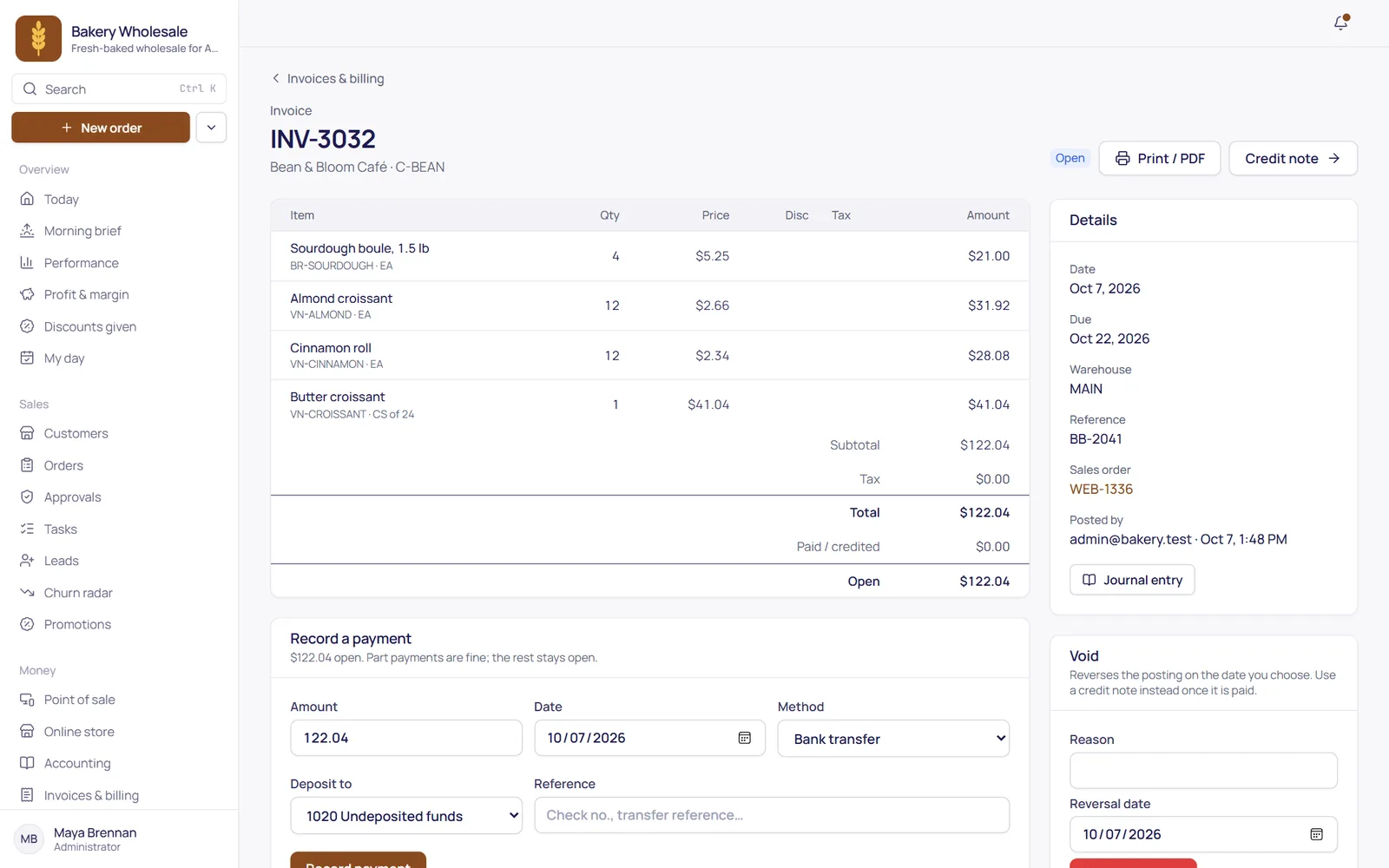
An invoice in TranzSuite with its lines, totals and a payment form

Stock you can trust, at average cost

  • A stock ledger by warehouse at moving average cost
  • Counts, adjustments and transfers
  • Reorder points that turn into purchase orders
  • Goods receipts and supplier bills, matched
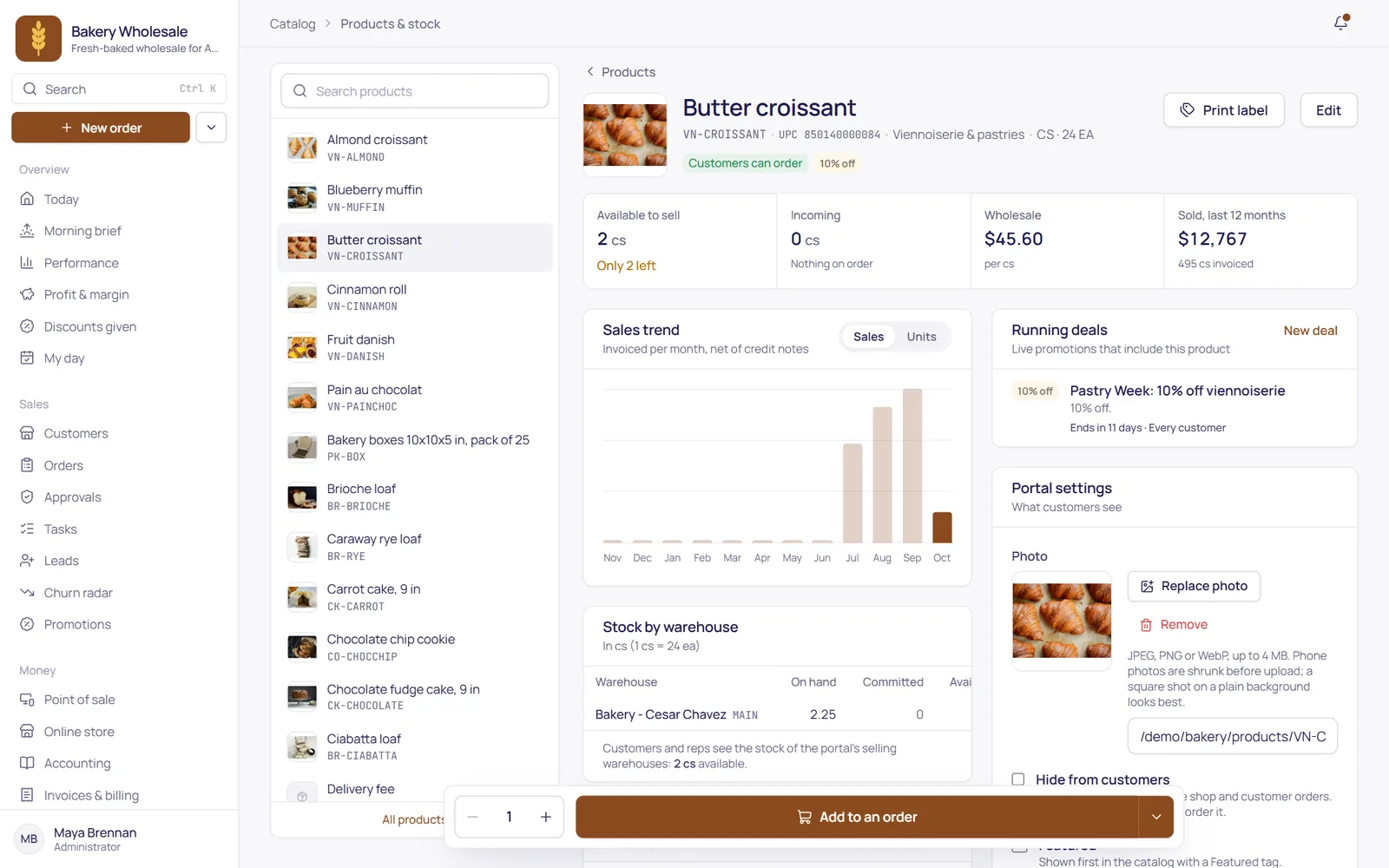
Inventory & purchasing
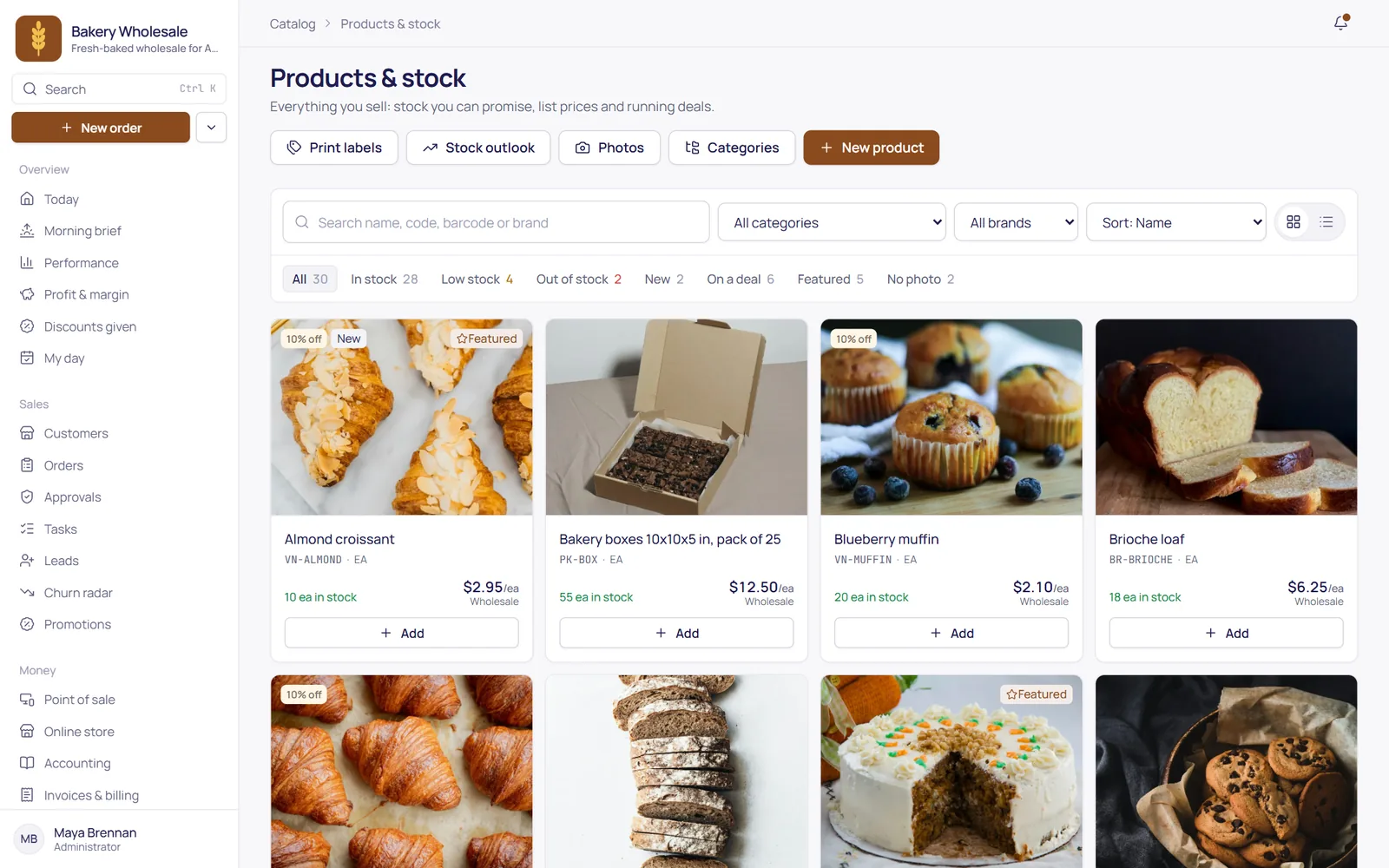
Products and stock: product photos, prices, stock on hand and deals

A till that posts to the books

  • Registers and shifts, with the cash counted at close
  • Split tenders, receipts and returns
  • Manager approvals at the counter
  • Same products, stock and prices as everything else
Point of sale
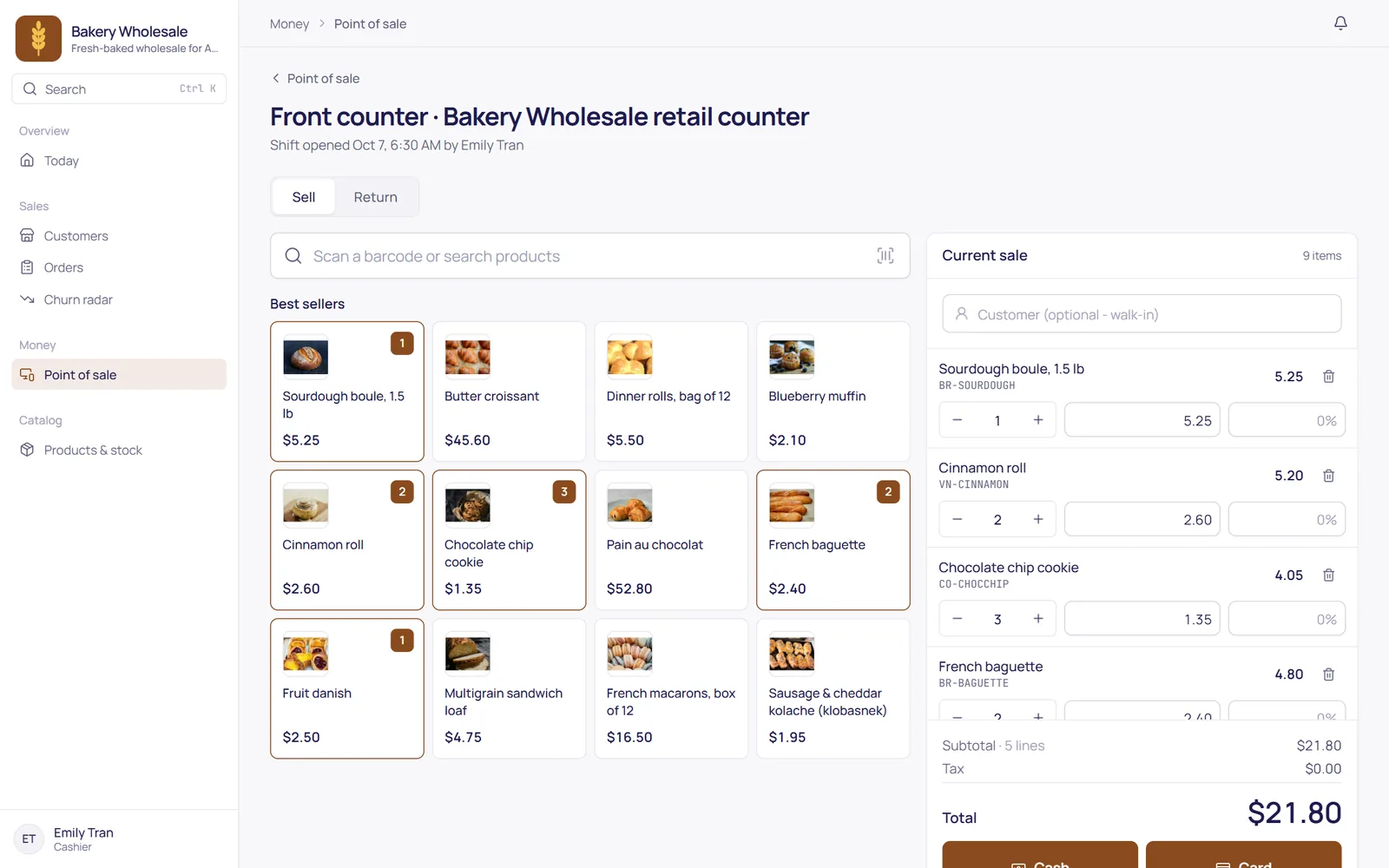
The point of sale: best sellers with photos and the current sale

Your customers order on their own

  • Your catalog at each customer's own prices
  • Quick order by code or file, saved lists and standing orders
  • Quote requests and buyer approvals with order limits
  • English or Spanish, and the logins are free
B2B ordering portal
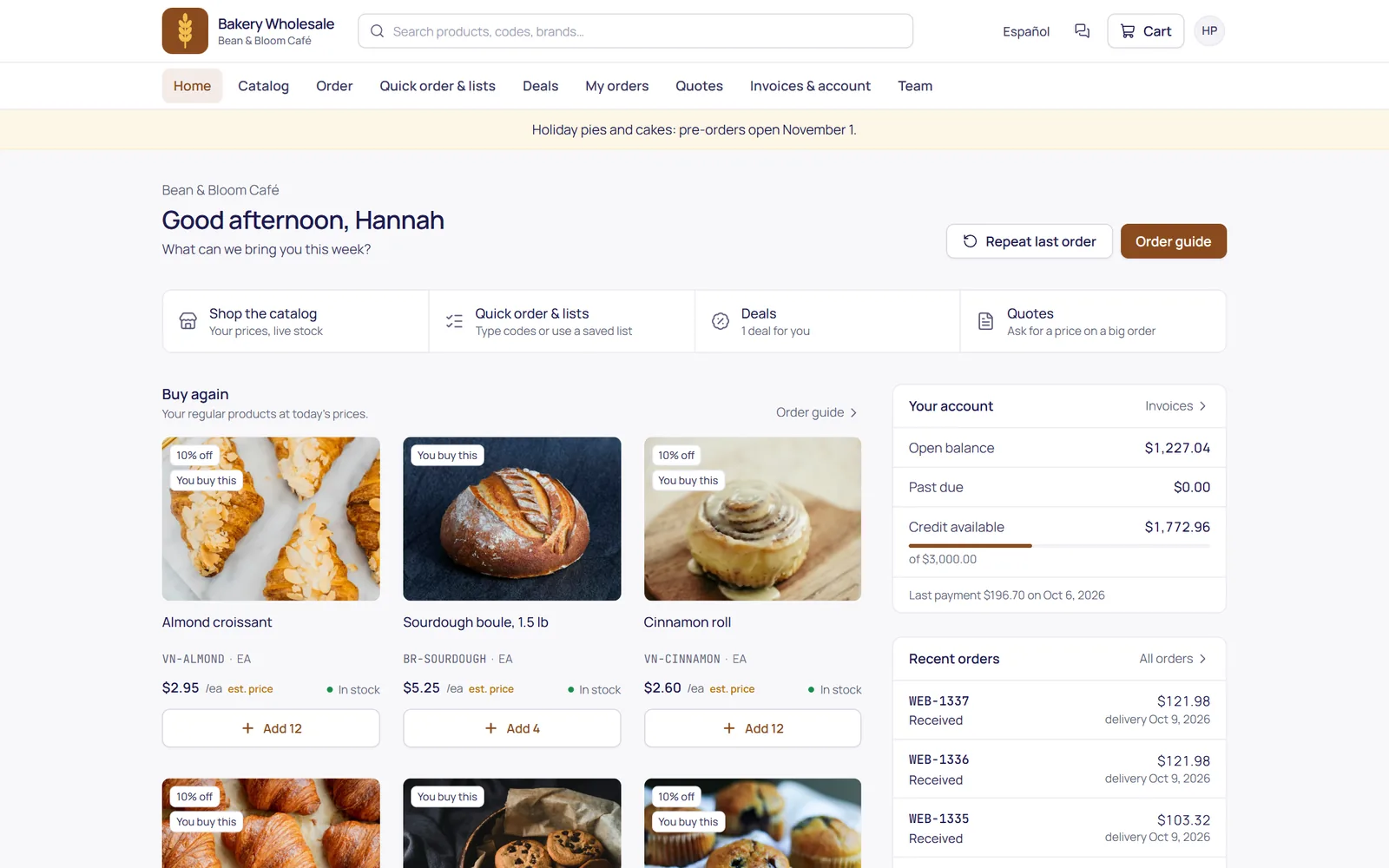
The B2B ordering portal: the customer's usual products, account balance and recent orders
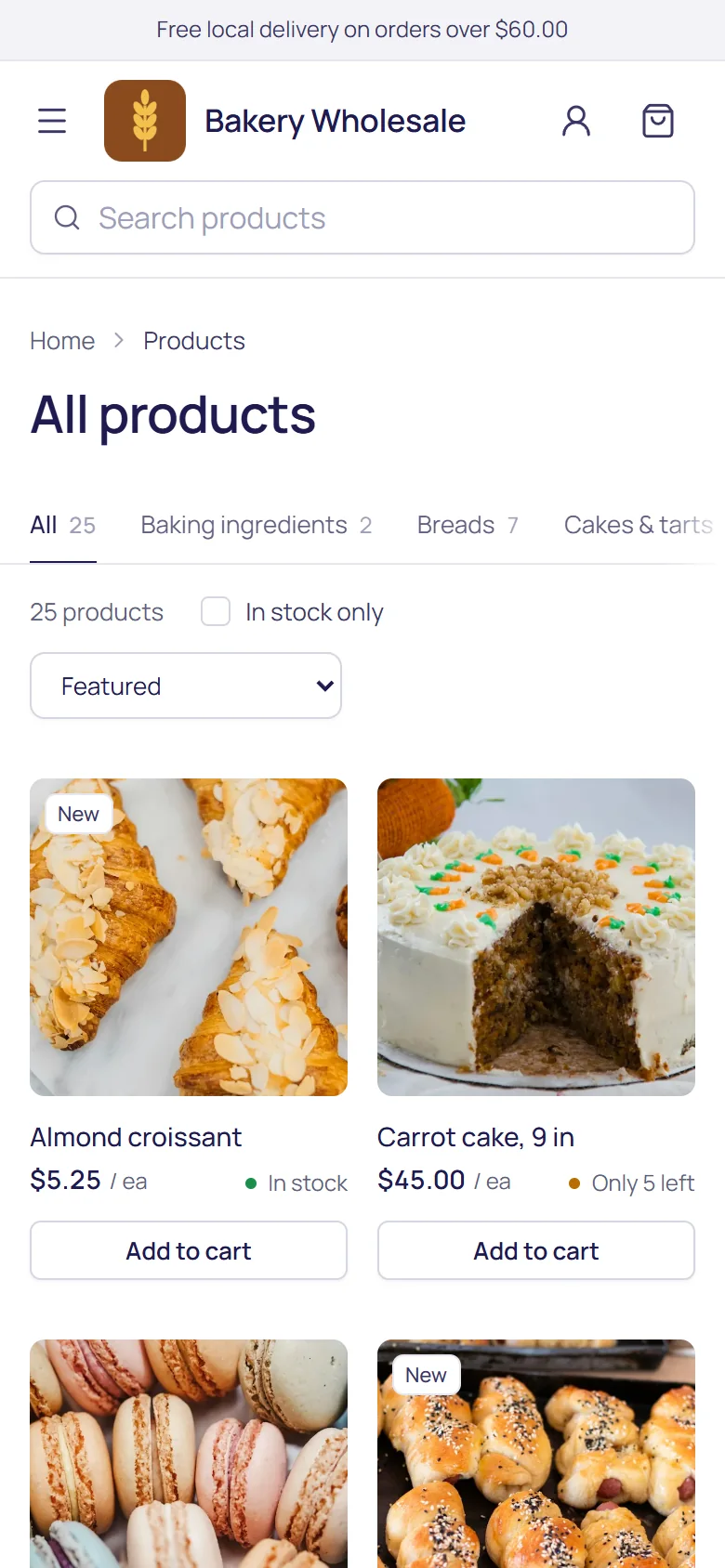
The ordering portal on a phone

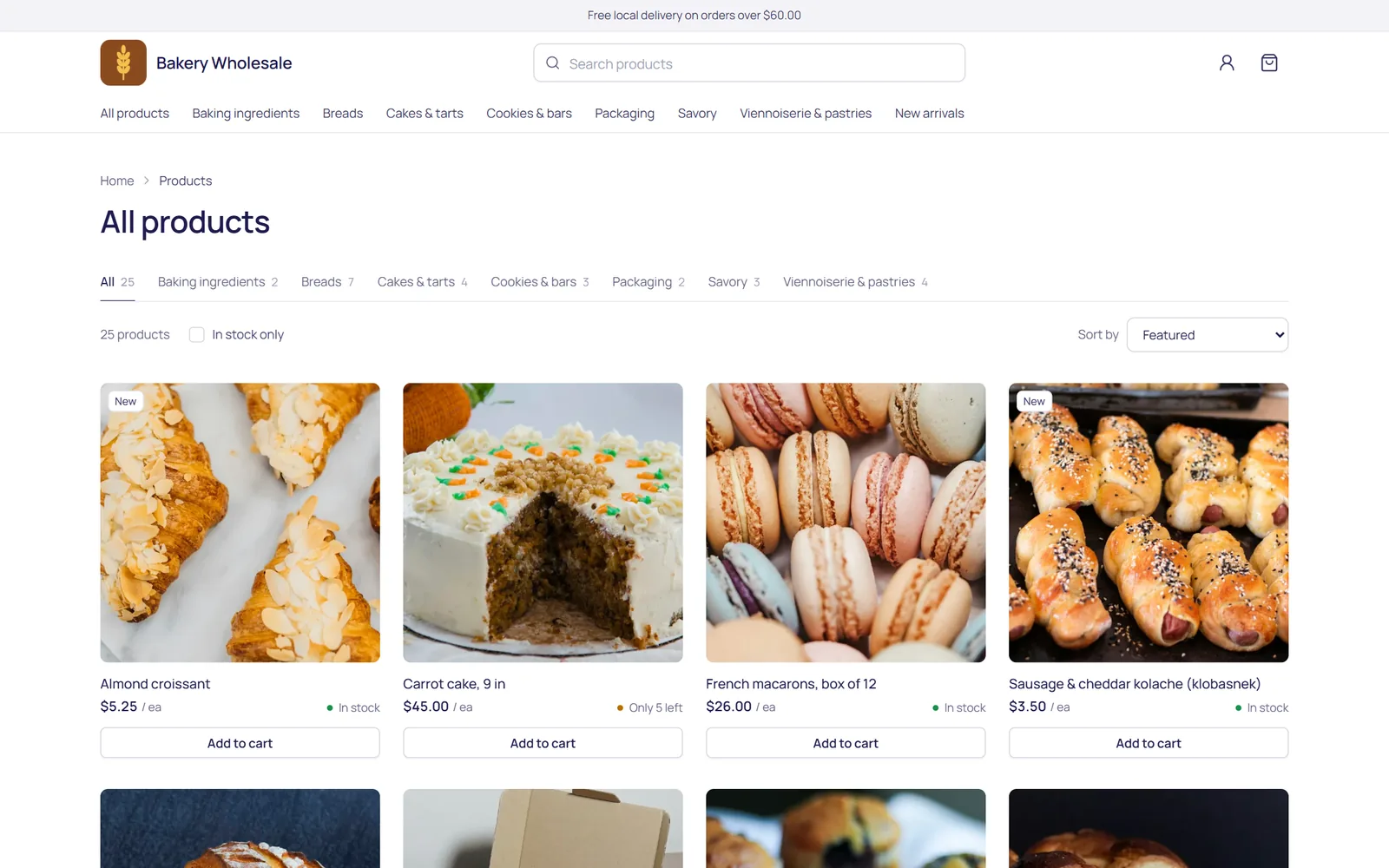
An online store for walk-in customers

  • Your products, photos and stock, at your retail prices
  • Pickup, local delivery by ZIP code, or shipping
  • Card payment on Stripe's own page with your Stripe account, or pay later
  • Orders arrive invoiced, ready to pack and hand over
The public online store: products with photos, prices and stock
The online store on a phone

Reps and drivers, signal or not

  • Customers, routes and orders at each customer's prices
  • Keeps working without signal and syncs when it's back
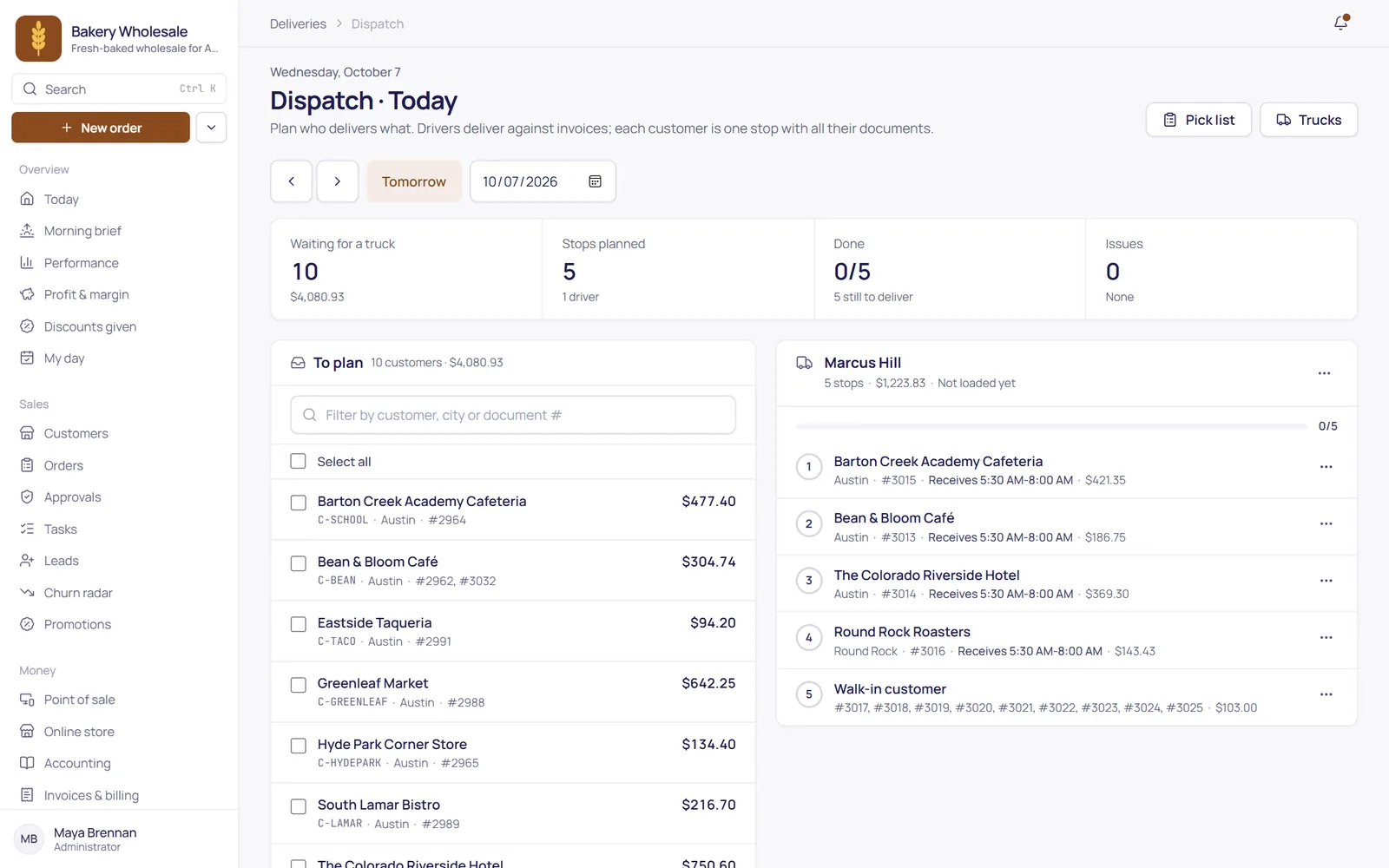
  • A dispatch board that plans each driver's run
  • Proof of delivery with signature and photo
Sales reps & deliveries
The dispatch board: deliveries to plan and a driver's run in stop order
The rep app: an order with the customer's usual products
How B2B ordering works

From their order to your books, untouched.

Nobody retypes the order, the delivery note or the invoice. Each step picks up where the last one left off, on the screen made for it.

  1. 1

    The customer orders in the portal

    From their usual products, at their own prices, by code or from a file. Or a rep takes the order on the phone app.

  2. 2

    Your office approves

    Orders over a credit limit, with big discounts or for an account on hold wait for a yes. The rest go straight through.

  3. 3

    Picked and delivered

    Dispatch plans each driver's run. The driver delivers stop by stop and brings back a signature and a photo.

  4. 4

    Invoiced, paid, in the books

    The invoice posts the receivable, revenue and tax, the payment settles it, and stock went out at average cost.

What's in TranzSuite

From the first order to the books.

Accounting

A double-entry ledger with a chart of accounts, journal entries, reversals, monthly periods and closing.

Learn more
Financial reports

P&L, balance sheet, trial balance, cash flow, A/R and A/P aging and inventory valuation.

Banking

Transfers between cash and bank accounts, and bank reconciliation.

Invoicing

Invoices, credit notes, partial payments, refunds, deposits and payment terms.

Learn more
Sales tax & 1099s

Tax by customer, ship-to and item, exemption certificates, a sales tax report by state, 1099 totals and cash-basis P&L.

Billing

Recurring invoices, customer and supplier statements and payment reminders.

Inventory

A stock ledger by warehouse at moving average cost, with counts, adjustments and transfers.

Learn more
Purchasing

Reorder points, purchase orders, goods receipts, supplier bills and supplier payments.

Returns

Return requests to decide, then a credit note with the goods back in stock.

Point of sale

Registers, shifts, split tenders, receipts, returns and manager approvals at the counter.

Learn more
B2B ordering portal

Customers order at their own prices, with quick order, quotes and buyer approvals.

Learn more
Orders & quotes

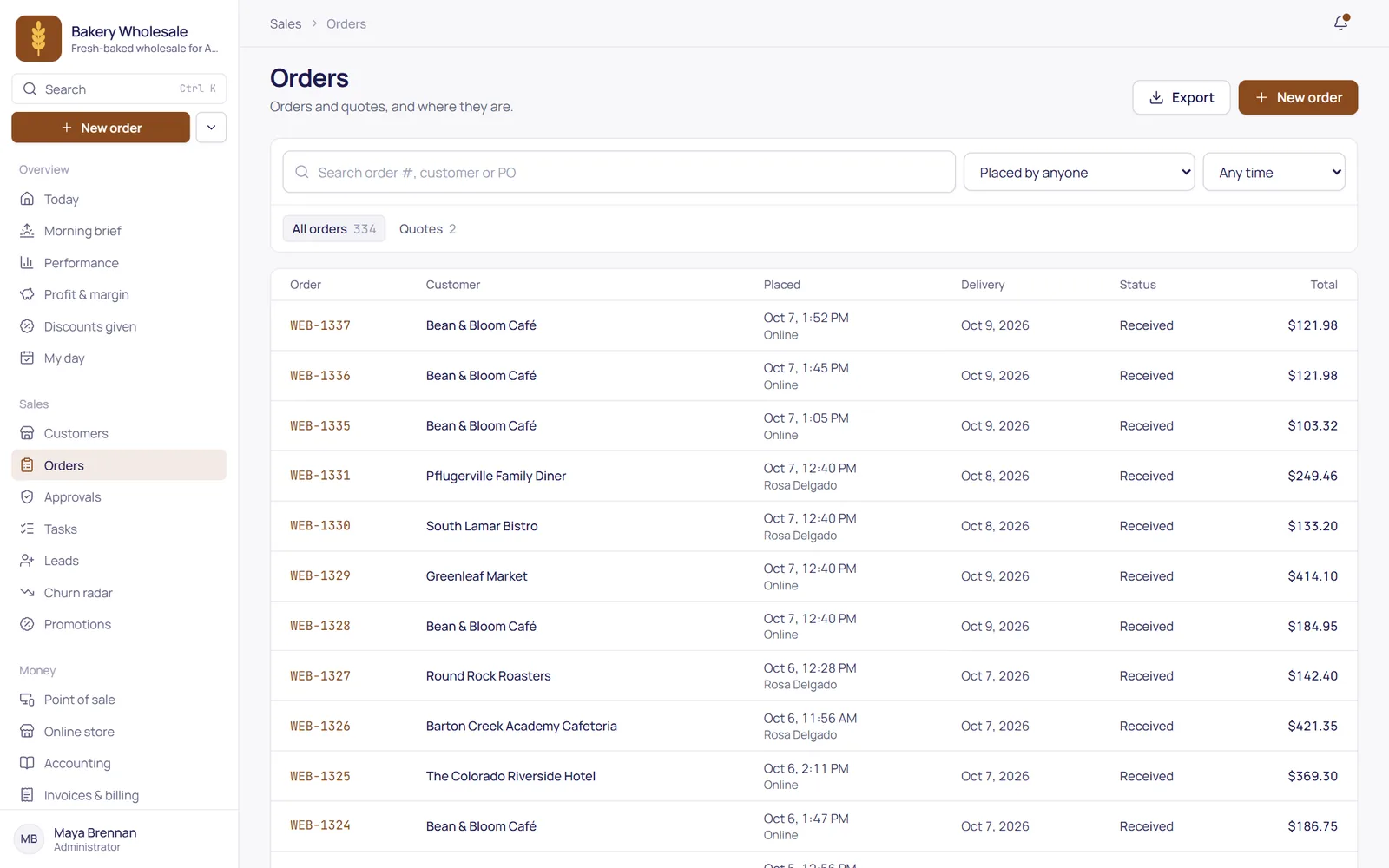
Orders from the office, the phone app or the portal, with quotes and approvals.

Deliveries

A dispatch board, a driver app and proof of delivery with signature and photo.

Online store

A store for walk-in customers with pickup, local delivery or shipping, paid by card through your own Stripe account or later.

CRM

Leads, visits, routes, tasks and territories for a team on the road.

Collections

Cash, checks and transfers your reps collect, checked and posted by accounting.

Phone app

An Android app for reps and drivers that keeps working without signal.

Promotions

Deals with start and end dates, applied automatically when an order qualifies.

Labels & barcodes

Shelf tags, price labels and barcodes, printed from your own items.

Import center

Products, customers, stock and balances from CSV or Excel, checked before anything is saved.

Roles & permissions

Each person sees what their job needs, and nothing else.

Audit log

Who approved, changed or posted what, and when.

Accounting built in

Every step posts to the books.

Underneath every order, delivery, invoice, bill and payment sits a double-entry ledger. Each business event posts one balanced journal entry, exactly once.

Order to cash

  • Quote and sales order
  • Delivery, in full or in part: stock out at average cost
  • Invoice: the receivable, revenue and tax
  • Customer payment, in full or in part, or a deposit applied later
  • Credit note, with returned goods back in stock

Purchase to pay

  • Purchase order
  • Goods receipt, in full or in part: stock in at cost
  • Supplier bill, matched to what was received
  • Price differences posted, not hidden
  • Supplier payment

Kept straight

  • Unbalanced entries are refused by the database
  • Posted entries can't be edited or deleted: corrections are reversals
  • A closed period takes no new postings
  • The same document can't be posted twice

Reports from the ledger

  • Trial balance
  • Profit & loss, balance sheet and cash flow
  • A/R and A/P aging
  • Inventory valuation
  • Customer balances that match the ledger
The phone app

For the team on the road, signal or not.

One Android app for reps and drivers, on the phones they already have. Customers, prices and today's run are kept on the phone, so the work goes on in a basement or a walk-in cooler and syncs when the signal is back.

  • Plan my day: the customers that need a visit, in a sensible driving order.
  • Orders at their prices, with the stock on hand and the phone's camera as a barcode scanner.
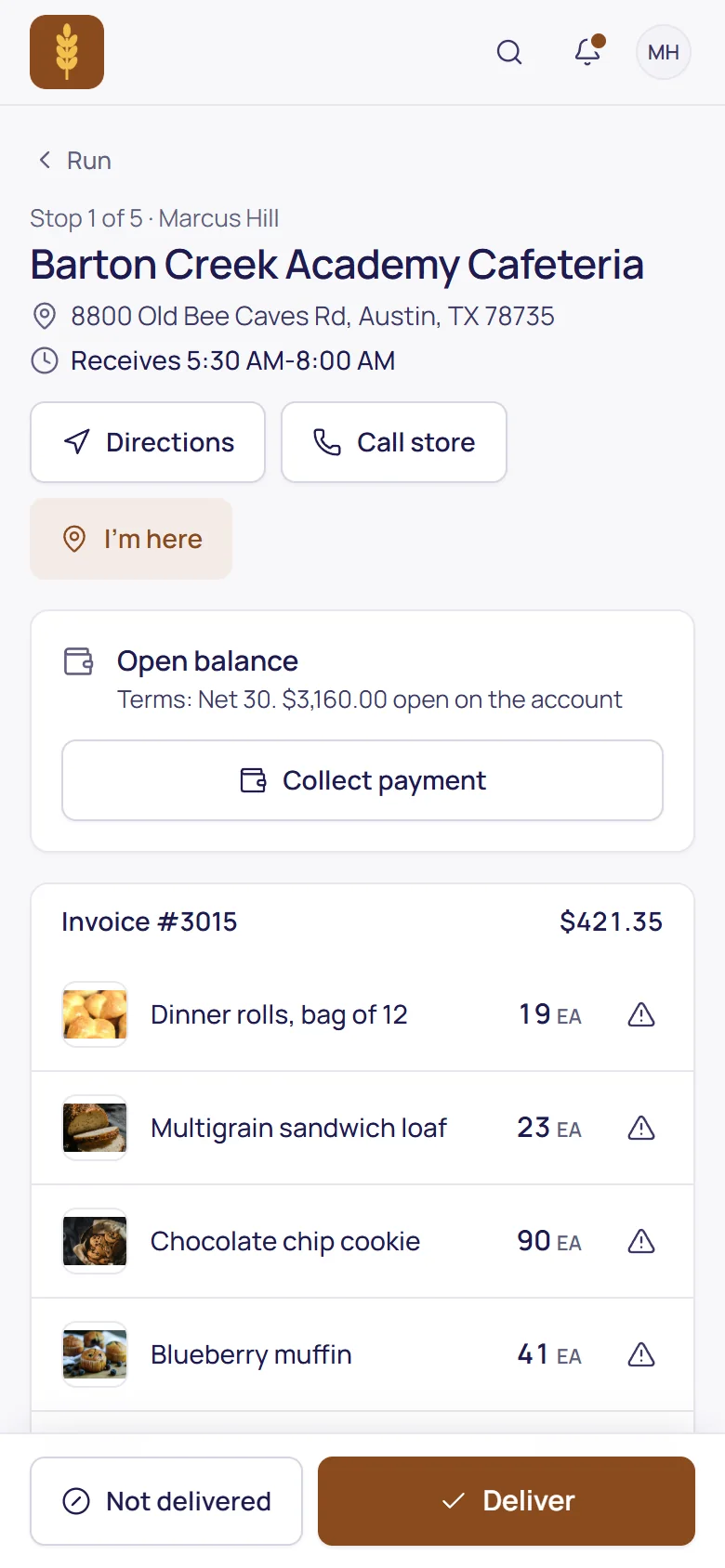
  • Proof of delivery with a signature and a photo, and payments collected at the door.
  • No signal, no problem: orders, check-ins and deliveries are sent when it's back.

Reps & deliveries

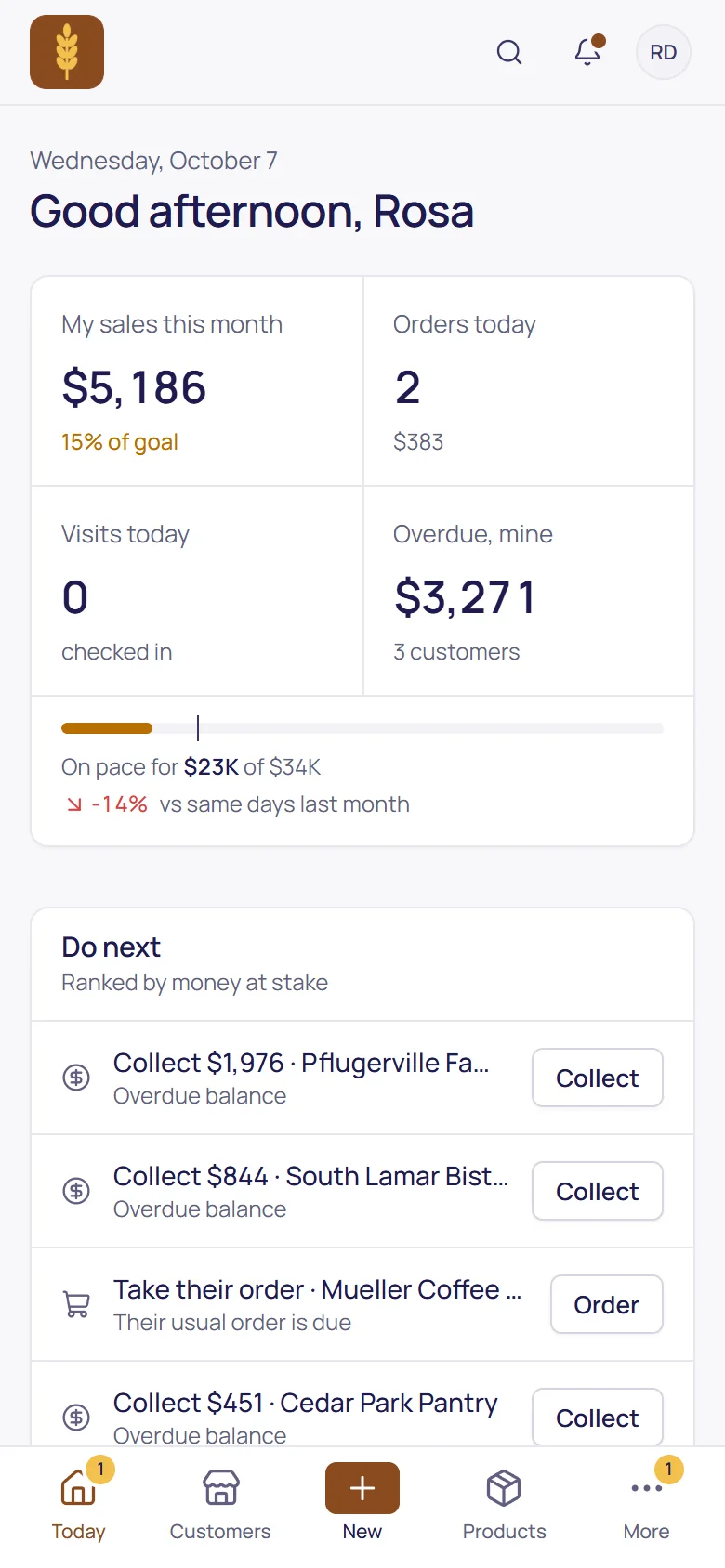
The rep's Today: sales this month, orders, visits and what to do next
Rep: today
Taking an order with the customer's usual products at their prices
Rep: an order
A driver's stop: the address, the open balance and the goods to deliver
Driver: a stop
Who it's for

Built for wholesale and retail.

For businesses that buy, stock and sell goods: to other businesses, over the counter, or both.

Butter croissants on a tray

Bakeries & food producers

Wholesale by the case to cafés, grocers and hotels, and a counter for walk-ins. The demo company on this site is a (fictional) wholesale bakery.

  • Sell by the case, stock by the piece
  • Standing orders for the weekly order
  • Your product photos in the portal and the store

A sack of flour with a sieve

Wholesale distributors

Price lists per customer, reps on the road, a portal for reorders, and trucks that leave with the right load.

  • Each customer's own prices and deals
  • Dispatch, driver app and proof of delivery
  • Reorder points that become purchase orders
Pastel macarons

Shops & counters

A till for the counter and an online store, from the same products, stock and prices as everything else.

  • Registers, shifts, split tenders and returns
  • Shelf tags and barcodes from your items
  • Online orders for pickup or delivery
Getting started

Three steps, and we take them with you.

Set up your company

Your business gets its own database and its own address, with a chart of accounts, monthly periods and document numbering ready to go.

Bring in your data

Products, customers, vendors, opening stock, open invoices and balances come in from CSV or Excel, checked row by row before anything is saved.

Invite your team and customers

Add the office, the counter, your reps and your drivers, and invite customers to order in the portal. Their logins don't count as users.

Paying invoices online by cardPlanned

Business customers paying their invoices by card in the portal. Today, invoice payments are recorded as they arrive.

Offline point of salePlanned

Selling at the counter while the internet is down. Today, the till needs a connection.

More than one currencyPlanned

Invoices and bills in other currencies. Today, each company works in US dollars.

Pricing
From$250/ month

3 users in every plan, then $39.99 for each additional user. Customers ordering in the portal are free.

  • Sales$250
  • Ordering Portal$250
  • Pro$379
  • Enterprise$479
See pricing
FAQ

Questions businesses ask us.

Something else? Book a demo and ask us directly.

Who is TranzSuite for?

Wholesale distributors, food producers, retailers with one or a few stores, and straightforward service businesses that invoice for their work. If you buy, stock and sell goods, TranzSuite covers the books, the stock, purchasing, the counter and ordering, in one system.

Is it real double-entry accounting?

Yes. Every invoice, delivery, bill, payment and till sale posts a balanced journal entry. The database itself refuses unbalanced entries, changes to posted entries and postings into a closed period, so corrections are made with reversing entries, the way an accountant expects.

How is stock valued?

At moving weighted average cost per item. Every receipt, delivery, sale and return is a stock movement, and a delivery or sale that would take stock below zero is refused.

How do we bring our data in?

With the import center: products, customers, vendors, opening stock, open invoices and bills and opening balances, from CSV or Excel. Every row is checked and problems are listed before anything is saved, and running the same file again never posts twice. We help you plan your start date.

Do we need any other software alongside it?

No. TranzSuite runs on its own, with its own accounting, inventory, purchasing, point of sale and ordering, so there's nothing else to buy or keep in sync.

Does the point of sale work offline?

Not yet. The till runs in the browser and needs an internet connection; offline selling is planned. Cards are taken on your store's own card terminal, and TranzSuite records the amount and approval code, never card details.

What about sales tax and currencies?

You set your sales tax codes and rates; TranzSuite applies them by customer, delivery address and item, never charges exempt customers (resale certificates are kept on file), and gives you a sales tax report by state, 1099 totals and a cash-basis P&L. It doesn't file returns or look up rates for you, and makes no tax-compliance claim, so check your setup with your accountant. Each company works in one currency, US dollars, today.

Do our reps and drivers need new phones?

No. The Android app runs on the phones they already have, and everything also works in a phone's web browser.

Who owns our data?

You do. Each business gets its own separate database and its own address. If you leave, your data is returned to you or deleted.

How is it priced?

Plans start at $250 a month with 3 users included, and each additional staff user is $39.99 a month. Accounting, invoicing, inventory, purchasing and the point of sale are in every plan, and your customers' portal logins are free.

See it with your own products.

We'll walk you through TranzSuite with your kind of catalog, customers and suppliers.