Bring your data with you, checked before it lands.
Most businesses start from spreadsheets or an export of their old system. The import center takes CSV and Excel files, shows you exactly what will come in and refuses rows that don't add up, before anything is saved.
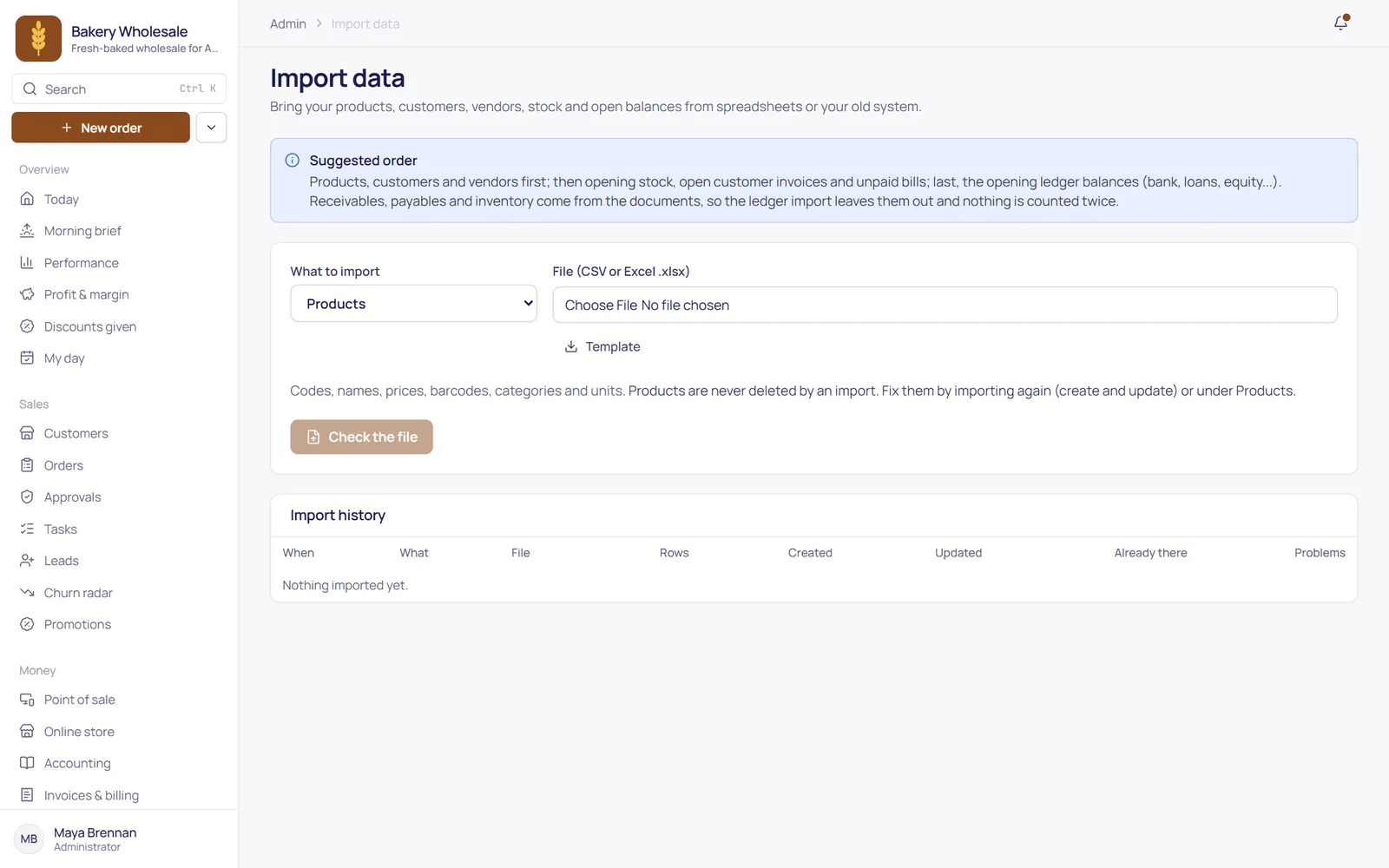
What you can bring in.
Codes, names, prices, barcodes, categories and units, with your old codes kept
Contact details, addresses and credit limits
Your suppliers and their contact details
Quantities and costs per warehouse
What customers owe you and what you owe suppliers on your start date
Your trial balance on your start date, into the ledger
No surprises in your books.
Upload a CSV or Excel file and map its columns, or start from our template. Columns with familiar names are matched for you.
Every row is checked before anything is written, and each problem is listed with its row number, so you fix the file, not the database.
The preview shows the totals you're about to bring in, to check against your old system.
Choose create-only or create-and-update. Running the same file again never posts an invoice or a balance twice.
Opening balances need a start date and a cut-over plan. Work it out with your accountant; we'll go through it with you.
Moving from spreadsheets or another system?
Book a demo and tell us what you use today. We'll show you how your data comes across.