A counter till that posts straight to the books.
Sell at the counter from the same items, prices and stock as the rest of the business. Every sale takes the stock out and posts to the ledger as it happens, and every shift ends with a cash count. It runs in the browser on your counter computer and needs an internet connection.
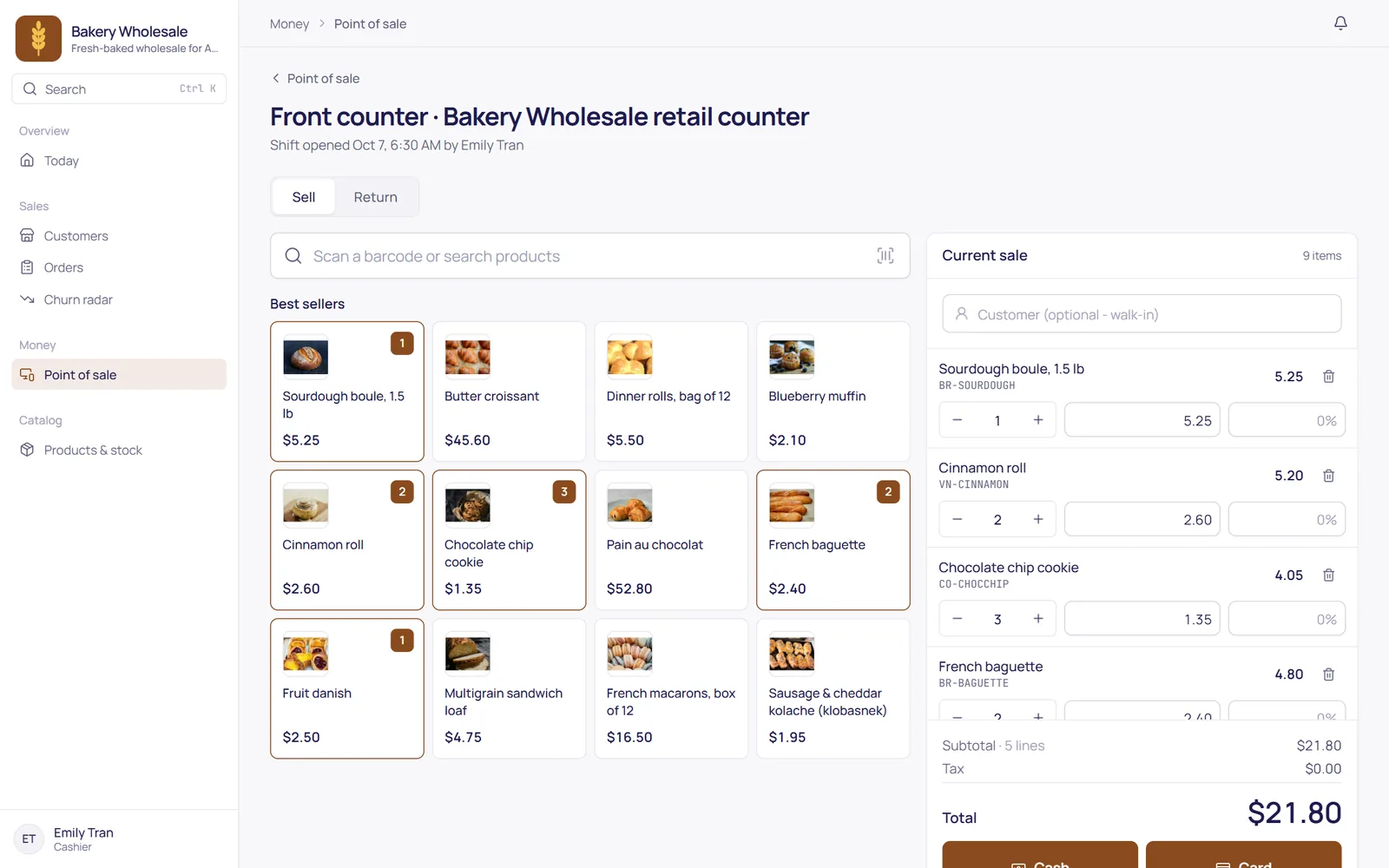
Fast at the counter
A keyboard-first till: search or scan an item, set the quantity, take the money. A customer who forgot something can wait while you serve the next one.
- Cash, card or split tenders, with the change worked out for you.
- Parked carts: set a sale aside and pick it up again later.
- Printed receipts for every sale and return.
The cashier sells, the manager decides
Price changes, discounts, returns and paid-outs need a manager. A manager standing nearby enters a PIN, and the till carries on.
- Manager PIN at the till, with a limit on wrong attempts.
- Every approval is recorded in the audit log, with who and when.
- Cashiers land on the till and never see the books.
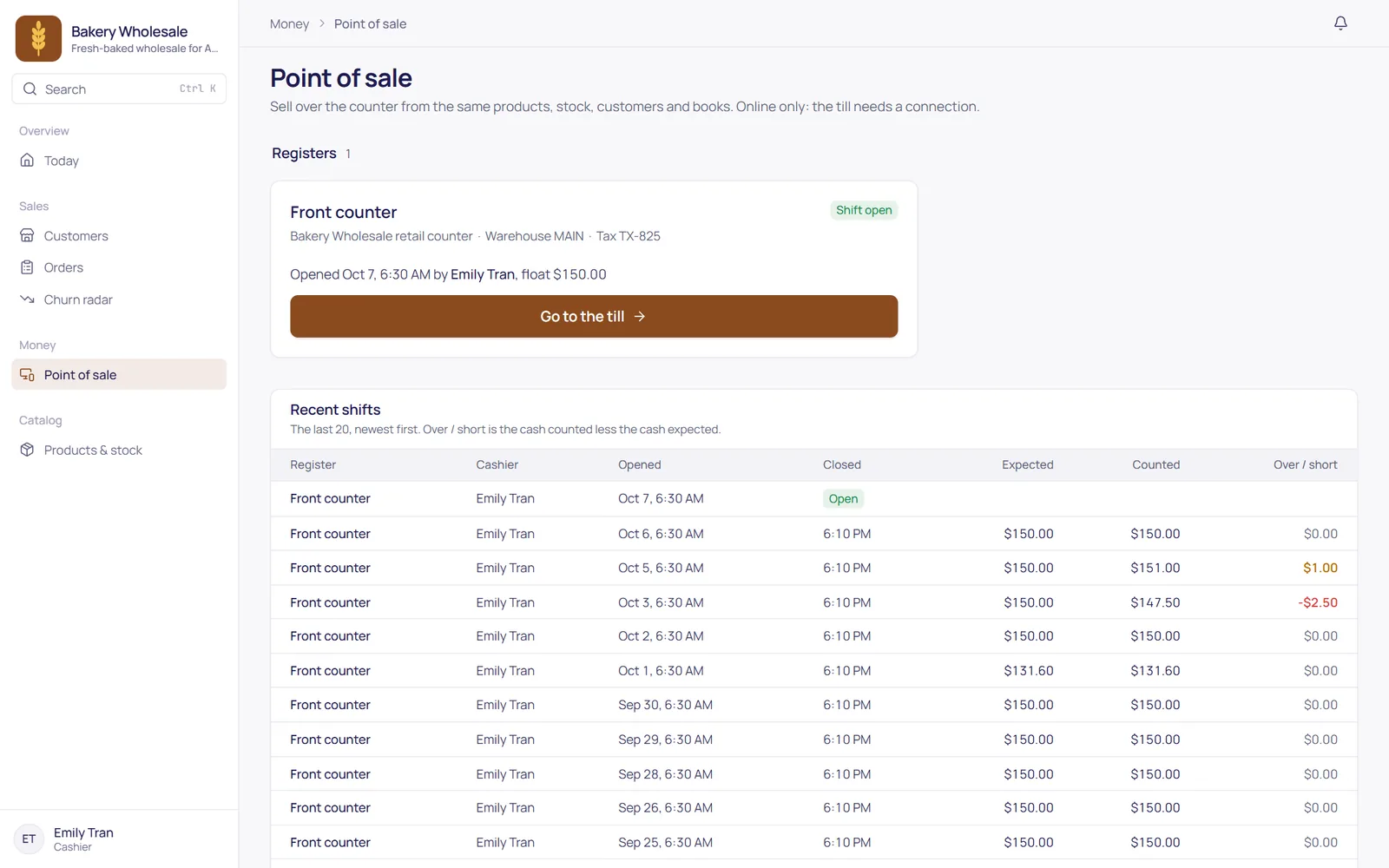
A drawer that balances, or says by how much
Open a shift with a float, record cash taken in or paid out, then count the drawer at close. Over or short is posted to the books, not lost in a notebook.
- Shifts per register, each with its own opening float.
- Cash in and cash out with a reason for each.
- Count and close: the difference is posted as cash over or short.
The details that matter.
Goods back into stock, money back to the customer, with a manager's approval.
Cards are taken on your store's own card terminal. TranzSuite records the amount and approval code, never card details.
The till sells from the same items and stock as your orders and portal.
Each sale posts revenue, sales tax, cost of goods and cash or card to the ledger.
The till needs an internet connection. Selling offline is planned, not available yet.
Set up a register for each counter; all of them use one cash account.